

The NDA session 2 exam will be held on May 20th, 2026. UPSC NDA examinations are held for recruitment to the Indian Defence Forces, which comprise the Army, Air Force, and Navy. The NDA 2026 Application is out now.
NDA 2026 Registration Procedure – Begins
The NDA 1 2026 Application Form was released on December 10, 2025.
Candidates interested in filling out the NDA 2026 registration form should keep in mind that while enrolling for the exam is simple, applying correctly is a bit more complicated.
We have provided thorough information about How to Fill the NDA 2026 Application: A Step-by-Step Guide, including fees, required documents, and more.
NDA 2026 Application Form
NDA 2026 dates have already been revealed in the UPSC test calendar. Candidates can complete the application form online. Only candidates who complete the NDA exam eligibility requirements are eligible to apply.
NDA 1 2026 application forms were released on December 10, 2025, and NDA II 2026 on May 20, 2026. Candidates can submit NDA I and II application forms until December 30, 2025 and June 9, 2026, respectively.
Those interested in applying should be aware that they must do so carefully and accurately. Any errors in the form will result in the application being rejected. UPSC NDA 2026 Application cannot be completed offline or in any other method. Online forms do not need to be transmitted to authorities via post or any other means.
How to Fill the UPSC NDA 2026 Application Form?
Follow these steps to complete the NDA 2026 Application form:
Step 1: Apply Online
- Visit the official website (find link here).
- A new page will be displayed on the screen.
- On the right side of the web page, click the “Apply Online” button.
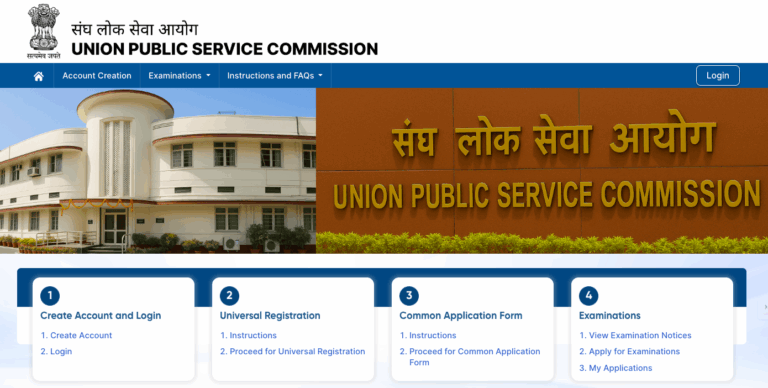
- Select the “Create Account” option.
- Following that, a new page will open.
- Now select the “New Registration” option.
- Fill out information such as your name, gender, date of birth, parent information, mobile number, email address, and so on.
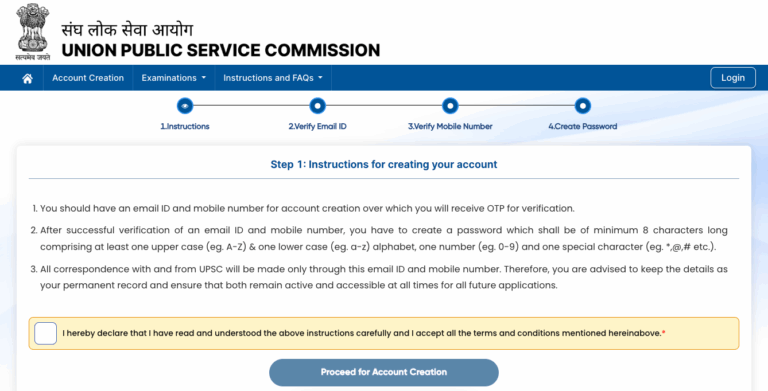
- After entering all of the information, click the “Submit” button.
- Once again, double-check your information and click the “I Agree” box.
- Now, verify the OTP information.
- Enter your received Mobile OTP and Email OTP, then click the “Verify OTP” button.
- The OTR form will be successfully submitted.
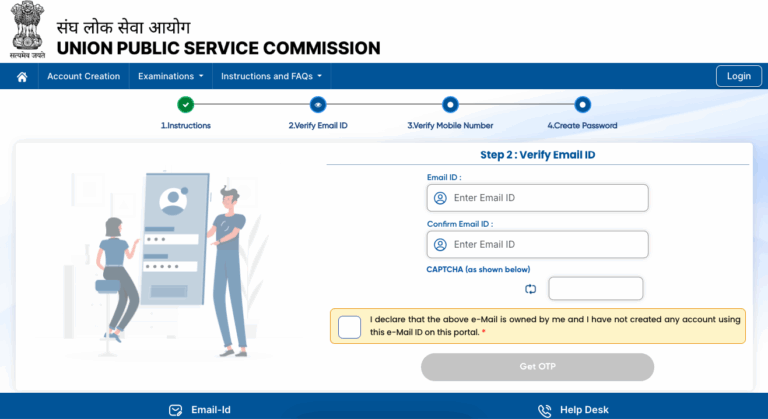
- Now, log in again with your cell number and OTP.
- Create a strong password and click the “Submit” button.
Step 2: Fill out the Application Form
- Fill out the application according to the instructions.
- Now, select the “Latest Notification” option.
- Choose the NDA 2026 Application Form option.
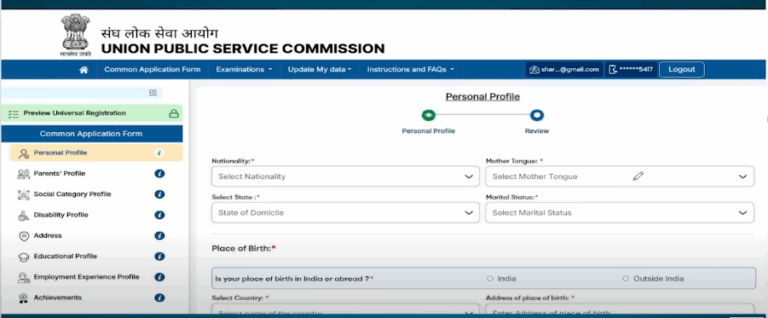
PART-I
- Click the “Part-1 Registration” link to open a new page. Important Instructions for Filling Out an Online Application Form are provided below.
- Read the instructions carefully, then click the ‘Yes’ button at the bottom of the screen.
- Clicking the ‘Yes’ button will take you to the application form.
- Part One registration is broken into four pages.
Page 1: Candidate Details (OTR details will be automatically filled up)
Enter your Personal Information
- On this screen, the system requests the candidate’s personal information.
- Enter your name, date of birth, father’s and mother’s names, Aadhaar number (if available), nationality, fee remission allowed, community, minority, marital status, etc. (OTR information will be filled in automatically).
Enter your qualification details:
From here, provide your qualification information for the NDA 2026 Application. The drop-down menu indicates four selections.
- Enter your complete address in the required fields.
- Your email address must be valid, and you must also include your personal contact information or your parents’ phone numbers.
- After entering all of the information, click the ‘Continue’ option.
Note: SC/ST candidates are not required to submit an application fee for the NDA 2026 Application form. Sons of ex-servicemen, JCO/NCOs, and Other Ranks of the Army are also exempt from paying the application cost. If such candidates are currently enrolled in a Sainik or military school, they must bring with them a certificate of eligibility signed by the principals to the SSB interview.
Candidates who claimed the fee exemption must select the “YES” response in the Fee Exemption claimed Field. Such candidates are not directed to the payment page.
Page 2: Verifying ID and Choosing Branch Preferences
- Choose your ID, enter your ID card number, then upload the ID card document into the form.
- On this page, candidates must select their preferences for the Indian Army, Air Force, and Navy.
- Mark your preferences from 1 to 4.
- Mark ‘0’ in the field for which candidates do not want to express any preference.
- This page also asks if you are a student at Sanik/Military School or the son of a JCO/NCO/Other Rank Officer.
- Mark your comment as Yes or No.
- Click the “Continue” button to proceed to the fourth page.
Page 3: Verify Your Details
- On this page, candidates can change their information by clicking on the ‘change’ button.
- Please double-check your information because no changes will be made after you submit the application form. Finally, Mark, I agree/disagree.
Page 4: Generation of Registration ID
- On this page, candidates can view the system-generated ‘Registration ID’. This site also displays the candidate’s additional information, such as name, father’s name, DOB, email address, etc.
- Now the “Part-1 Registration” section of the NDA application form will be finished. The email will be sent to the candidate’s specified email address. Now log in again for the final step, “Part-2 Registration”.
Don’t forget to print this page. Click on the “Print” option. Also, make a note of the registration number and date of birth, as they will be needed later.
PART II Registration:
It includes four steps:
- Fee Payment
- Fill out the Examination Centre Selection Form
- Uploading a photograph
- A signature is being uploaded
Fee Payment
- Fee payment options include cash, credit/debit card, or net banking.
- Pay the application fee in cash at any SBI branch.
- Candidates can also pay their fees using any bank’s credit or debit card.
- The payment will be made via the Internet banking services of State Bank of India/State Bank of Bikaner & Jaipur/State Bank of Hyderabad/State Bank of Mysore/State Bank of Patiala/State Bank of Travancore.
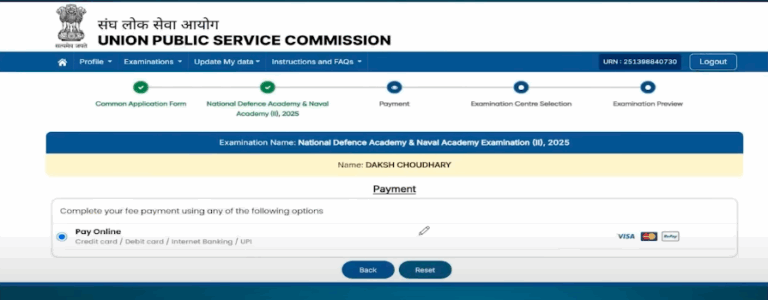
Candidates will receive an SMS notice after their NDA 2026 Application cost has been successfully paid. Candidates who are excluded from paying for the application will receive an SMS notice after uploading their pictures.
Upload photograph:
This step allows you to upload an image of a photograph. Before proceeding with the upload stages, carefully read the following instructions:
- The image should be from within 10 days of the application’s commencement date.
- The candidate’s name and date of birth should be provided in the photograph.
- The photograph must be smaller than 300 KB but more than 20 KB.
- A photograph must be in .jpg/jpeg format.
- A photograph needs to be 140 pixels in height and 110 pixels wide.
- The bit depth of an image file should be 24 bits.
Upload signature:
- Upload your signature using a black ink pen on a white background.
- The image of the signature must be in the .jpg format.
- The signature should have a height of 110 pixels and a width of 140 pixels.
- The signature’s file size must be less than 40 KB but larger than 1 KB.
- The bit depth of an image file should be 24 bits.
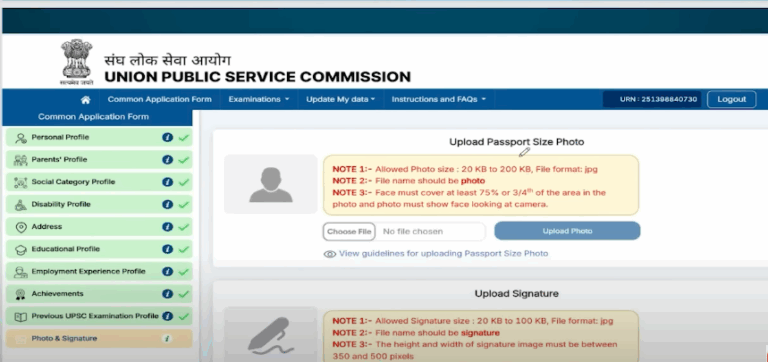
The image preview will be generated after uploading. Candidates can recheck the photographs they have posted here. If you are satisfied with the uploaded image, click the “Confirm Upload” button; otherwise, click the “Reload Photograph/Reload Signature” option.
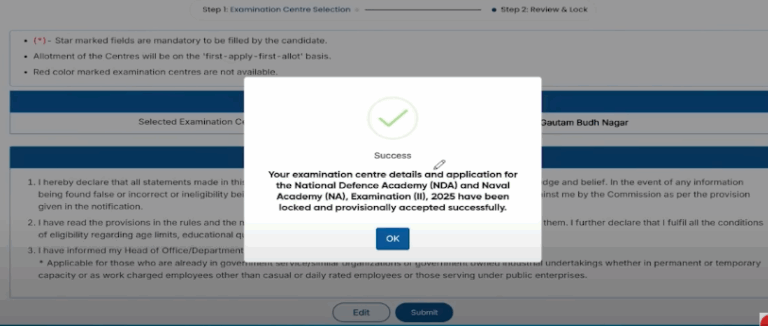
Filling out the Choices for Examination Centers (Center Selection and Declaration Agreement):
- Choose the suitable examination centre based on your preferences.
- Candidates can select any one examination centre.
Step- 3: Read the Declaration and click on Agree
The NDA 2026 Application form will be completed following the submission of Part 2 Registration. To complete the NDA online form, click the ‘I Have Read Declaration & Agree’ option.
You can now print the application form.
Essential Features:
- Applicants who submitted their applications online are not required to send any documents or certificates to the UPSC.
- Candidates will receive an email confirming the complete submission of their application forms.
- The “View/Print Application” link is provided on the home page to examine the submitted application form.
We hope this post helped you understand how to submit the NDA 2026 session registration form. Keep returning to this page because once the NDA 2026 Application is released, we will provide a direct link to apply.
Next article
How to Apply for JEE Main 2027: Registration Process, Documents & more